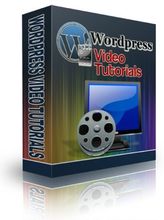
Wordpress is a powerful blogging system that can be used in many ways - including content management. By adding the right (free) plugins to Wordpress you can turn it into a powerful site.
This four part video series will take you through the whole thing - step by step.
In these videos you will learn the following:
How to install Wordpress (Cpanel and manually)
Where to get the plugins to make your site more functional
Which plugins to use to make your site search engine friendly
How to set up a single level recurring membership site
How to set up a multilevel single payment site
Note to buyers: I check my store and my email often for orders of my products. In most cases it will be a short time until you receive either an email from me telling you that I have received your order, or an email with your product attached, or with a link to a server where you can download your product.
This product will be sent to you in a winzip file either as a direct attachment to an email I will send you or the email will contain a link to a server where you can download your product. The size of the files in the product itself dictates which manner will be used because many email clients have a 25 MB maximum per email.
If you do not have winzip or a similar unzipping software, you can download a free copy of winzip at http://www.winzip.com/downwz.htm. Once unzipped, most of our eBooks are either in PDF or Microsoft Word format. Most of our Audio and/or Video files can be opened with Real Player or Windows Media player probably already installed on your computer. Both of these utilities can be download free from the web it you do not already have them.
Once you get these videos and follow the instructions you will have your site up and running within a couple of hours.