From the desk of Anthony Wilson
If you want to do business online then you need a website right! Now if you've never built a web page before and don't have a clue where to start the whole process may seem rather daunting but...
It's not that difficult!
If I can show you where to find an "open source" software program (that means it's free) and show you how to use it and have your first website built TODAY would you be interested?
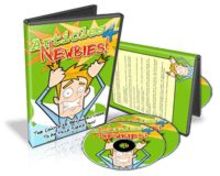
The "Kompozer4Newbies" video tutorials have successfully taken the pain of learning webpage editing away and helped many, many people get up and running... fast!
Listen to these happy students
I would like to say a very big thanks for the video tutorials that you provided. I used these to edit and upload my sales page to my web host, couldn't of done it without!
Alison, UK
I wanted to tell you that your video tutorials are excellent. Also, I am sooo appreciative to you for your support. Can't wait to get started on the advanced stuuf!
Peter Jordan, peterjordantrading.com
Nothing can beat the professional look of a "real website" and you'll be shown quickly and simply how to build it from scratch. Plus you'll also be shown the short-cut route of using templates to get you going much quicker.
And when you know how to build a real website you can apply that knowledge to put together much more professional looking eBay listings and attractive blog posts.
Here's What's Inside The KompoZer 4 Newbies Video Series
Video #1. Finding & Installing the Software
In video 1, find out where and how to get this free software and install it onto your computer
Video #2. Controlling Your Website Layout
Learn how to prepare your webpage ready to display your content in a neat and easy to follow format.
Video #3. Adding Text & Media
Through video 3 you'll see how to add text and pictures to your page as well as how to format and position them.
Video #4. Creating Navigational Links
Learn how to quickly produce multiple webpages and link them together using hyperlinks.
Video #5. How To Insert Video Into Your Pages
Keep your readers interested in your site and add video, it's quick, easy and adds real value to your website.
After just the first five videos you will be able to create your first website, it really is that simple. Then the following videos will give you an introduction to "CSS" so you will be able to manage your site (and any website templates you download in the future) much more professionally.
More From The KompoZer4Newbies Video Series
Video #6. CSS part I: Elements of Type
This first of three videos which introduce you to CSS deal with elements of type. Here you'll learn how to format regular text, including that important H1 tag that the search engines pay so much attention to.
Video #7. CSS part II: Elements of Class
Just taking what you learn in video 6 a bit further you will be shown how to define your own formatting so as to give your sites that unified look.
Video #8. CSS part III: Custom Styles
Here we go just a little deeper into the CSS and you'll see how to add rollover effects to your hyperlinks so as to make you navigation more obvious and attractive.
Video #9. Going Live
Once you have completed your website all that remains is to get it to your web host for the world to see. This is done with free and easy to use 'FTP' software as you'll see here.
If you've ever composed a letter on your computer with Microsoft Word for instance, or if you have used a blogging tool such as Word Press or Blogger then you already have a great head-start.
The KompoZer interface looks very similar to these and they share many features.
You really don't have to worry about the jargon being "over your head" or about being bogged down with "techno-babble". Instead you can soon be delighting in your very own website creation.
Being able to get an online presence with your own website is your first step to a successful online business.
Here to your success!
Anthony Wilson
--
Kompozer 4 Newbies
Comes with Resale Rights!