Create Your Own Professional eCovers With Photoshop! + BONUS Photoshop_Action_Scripts
Create Your Own Professional eCovers With Photoshop! + BONUS Photoshop Action Scripts
Digital Version Downloadable - No Shipping or Handling Fees!
Introduction by Author
Fire Your Graphic Designer And Forget Buying An eCover Creator Software Because In 5 Minutes,
You Will..."Discover How YOU - Or Anyone - Can Easily Create Your Own Professional eCover
In Just A Few Minutes without Having To Hire An Expensive Web Designer OR Use A Third Party Software!"
Find out how YOU can easily churn out one professional eCover after another for every new product
you have and feel sorry for others who didn't discover this easy, low-cost alternative which can be responsible
for saving themselves hundreds of dollars from feeding hungry, greedy graphic designers or buying expensive eCover Creator Tools that don't give you desiredsion results!
Dear Friend,
The most expensive-looking one, of course, price-to-price or not.
You certainly DON'T want to lose a lot of potential sales simply owing to lousy-looking eCovers you use
for your product no matter how good your sales letter may be, because the bottom-line is that your
prospects are seeing your digital product at a glance, and it takes a good 5 seconds for your prospect to either stay or turn away.
Another school of taught says that if you're going to be in business, dress in a business manner!
After all, dressing your product well by giving it a professional looking eCover goes to show how serious
you take your business and your prospects will be able to tell that, consciously or not.
Let's check out what options you have in creating your own professional eCover:
*** Hire a Graphic Designer. You can hire a graphic designer to get the job done for you... that is,
if you don't mind forking out at least $99 for having one professional eCover done for you.
And that is only ONE.
*** Get a Tool or Software that creates eCovers for you. You can create an unlimited number of eCovers
with such leverage that you suspect these wicked tools are ready to put graphic designers out of their
job!
In "Create Your Own Professional eCovers With Photoshop", you will discover:
*** How you can create your own professional eCover in less than an hour!
All you need is Adobe Photoshop program installed in your PC.
You don't need to engage a graphics designer or even use any external plug-ins or
third party software in the process yet I show you how you can still have your own quality eCover
designed to look as expensive and exotic as possible whether your product is selling for $10 or $1,000!
*** The secrets to creating a realistic eCover!
This manual is not about those that you already know so well.
No, the techniques have nothing to do with the usual effects one would apply when creating an
eCover in Photoshop environment such as Distortions and Free Transformation. Learn what most
average eCover designers don't know that YOU should know because this is what will part you from
the rest of the crowd and can very well be responsible for making you the next expert graphic
designer! How to Create background images that dominate the mood of your website while drawing
attention to your content.
*** How to print on the cardboard and fold it! How to have your covers pasted on each faces of the
cardboard yet still sport a professional look and realistic angle!
*** Additional techniques that will put you years ahead of other graphic designers who are charging at
least $99 for an eCover!
In addition to discovering their secret inner techniques that enable them to make you pay at least $99 for
an eCover, you will learn additional techniques that will put most of the other graphic designers at shame!
Now, you no longer have to:
*** spend a fortune hiring an expensive graphic designer! Save your money which can be best spent
on something else!
*** invest a sum of your money into buying an eCover Creating Software! My manual is written in plain,
simple English that almost anyone can understand. No need to crack your head in a few different
places in the process! And the good news is that my manual isn't going to cost anywhere near as much
as the program, which you will be delighted to find out soon.
*** spend days, weeks or even months learning how to create your own eCover! Because all the fillers
and hot air has been filtered, you get only all the essential information needed to create your own
eCovers in Photoshop environment alone!
Yes, that's right. I'll add more to this offer.
BONUS #1 : 3D BOX Photoshop Action
.ATN Scripts You Can Use To Easily Create eCovers For You Automatically and Professionally! ($47 Value)
Take the lazy man's way with 3D BOX Photoshop Action and get your flat design molded and developed
into your desired, professional eCover in next few seconds simply by loading and running these action
scripts into your Adobe Photoshop program!
With these .atn scripts, you can now create your:
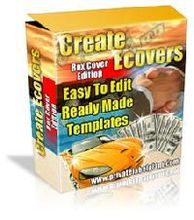
*** 3D eBox,
*** 3D eCover,
*** 3D eZine, and
*** 3D eReport!
BONUS #2 : 3D BOX Photoshop Action
Read-In-5-Minutes-And-Use-Instantly Documentation ($10 Value)
This is a brief, concise and straight-to-the-point manual which you will be getting together with the
Photoshop action scripts that will show you, step-by-step, on how to use the scripts to create your
eCovers easily and professionally!
Create Your Own Professional eCovers With Photoshop! + Photoshop Action Scripts
These eBook and Softwares package Worth $104
Today's price $8.99
8.99
USD
InStock