A QR code (Quick Response code) functions by arranging black and white squares in a specific pattern that encodes data like a website URL, contact information, or text, which can then be read by a smartphone camera to access that information; essentially, the black squares represent "1"s and the white spaces represent "0"s in binary code, allowing the scanner to interpret the pattern and translate it into usable data; unlike traditional barcodes, QR codes can store much more information because they read both vertically and horizontally. 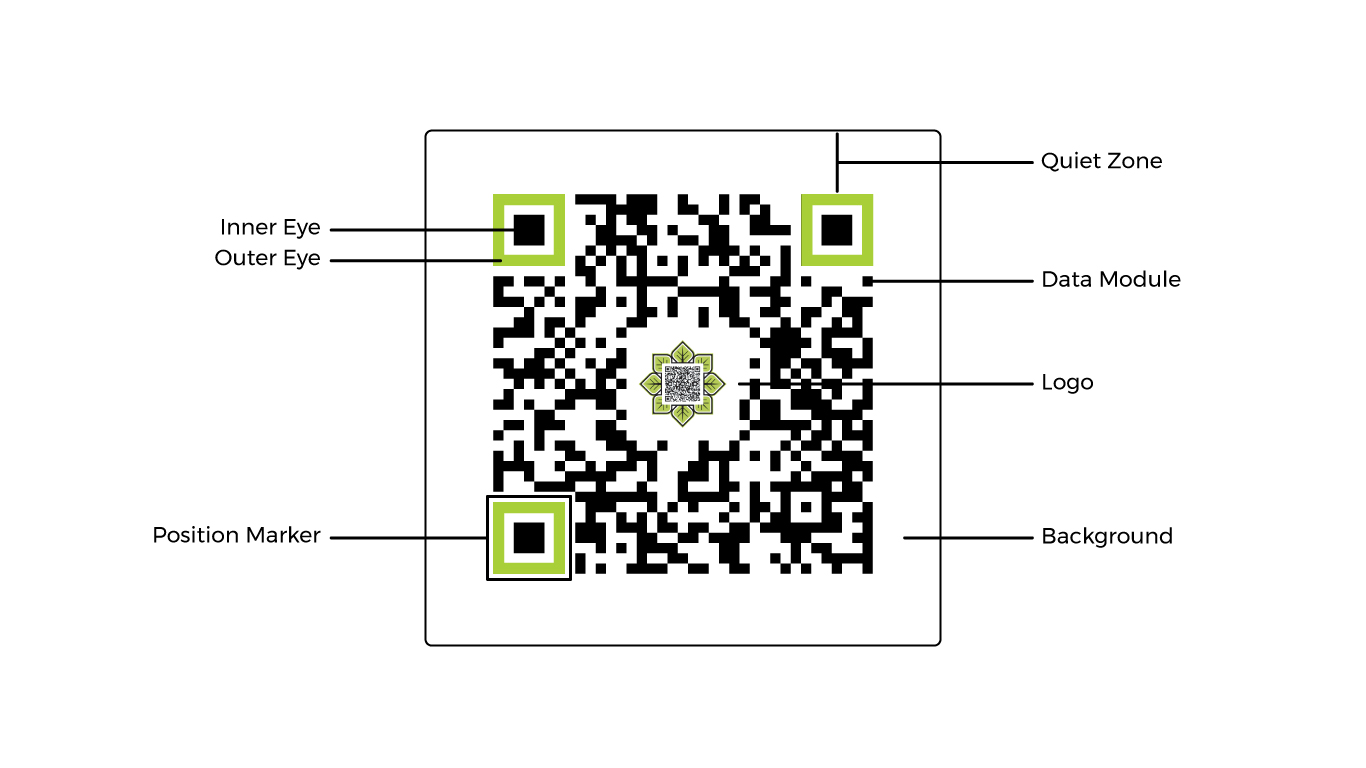
✔ Data encoding: The pattern of black and white squares represents binary data (1s and 0s) which can be decoded to reveal the stored information.
✔ Position markers: Three large squares in the corners of the QR code help the scanner identify the code's orientation and properly read it.
✔ Quiet zone: The white border around the QR code helps the scanner determine where the code begins and ends.
✔ Error correction: QR codes are designed with redundancy, meaning even if parts of the code are damaged, the data can still be recovered.
✔ Generate a QR code: Use a QR code generator to input the desired information (like a website link) and create the code.
✔ Scan the code: Use your smartphone camera to scan the QR code.
✔ Access information: Your phone will automatically open the linked website or display the encoded data.

